Case study · Product
Loop Master
A website drawn in hidden lines.
Loop Master teaches artists to imagine the hidden back of a form. We rebuilt its website so every page is drawn the way the app gives feedback: what you can see in grey and orange, what's hidden behind the form in blue. At launch, the home page went from about 6.8 MB to 0.4 MB on first load.
- Project
- Loop Master, our own free drawing-practice tool (Godot web game)
- Scope
- Art direction, design system, front-end build, deployment
- Stack
- Astro 7, TypeScript, Three.js, GitHub Pages + Git LFS
- Timeline
- October 22–23, 2026, from first sketch to launch; updated in November
- Pages
- Home, Practice, About, Contact, Terms, 404
- Before
- A WordPress + Elementor template, exported to static HTML
- Result
- ~16× lighter home page at launch: 6.8 MB → 0.4 MB on first load
The idea
Design with the technique you teach
Loop Master is a free browser game that trains artists to draw cross-contour lines: the path a thin slice through a form would leave on its surface. Half of every loop runs around the back, where you can't see it, and imagining that hidden half is the whole skill. The game worked, but its website was a template that weighed 6.8 MB and never showed the idea.
So we borrowed the rules of a construction drawing and the colours of the app's own feedback: what you can see is grey and orange, what's hidden behind the form is blue. If a visitor understands the website, they already understand the exercise. At launch the hidden lines were dashed; in November they turned the app's blue, so the site and the game teach with one colour. Orange always means a loop, the main action or where you are.
Key moments
Every page drawn the same way
1 A city drawn in hidden lines
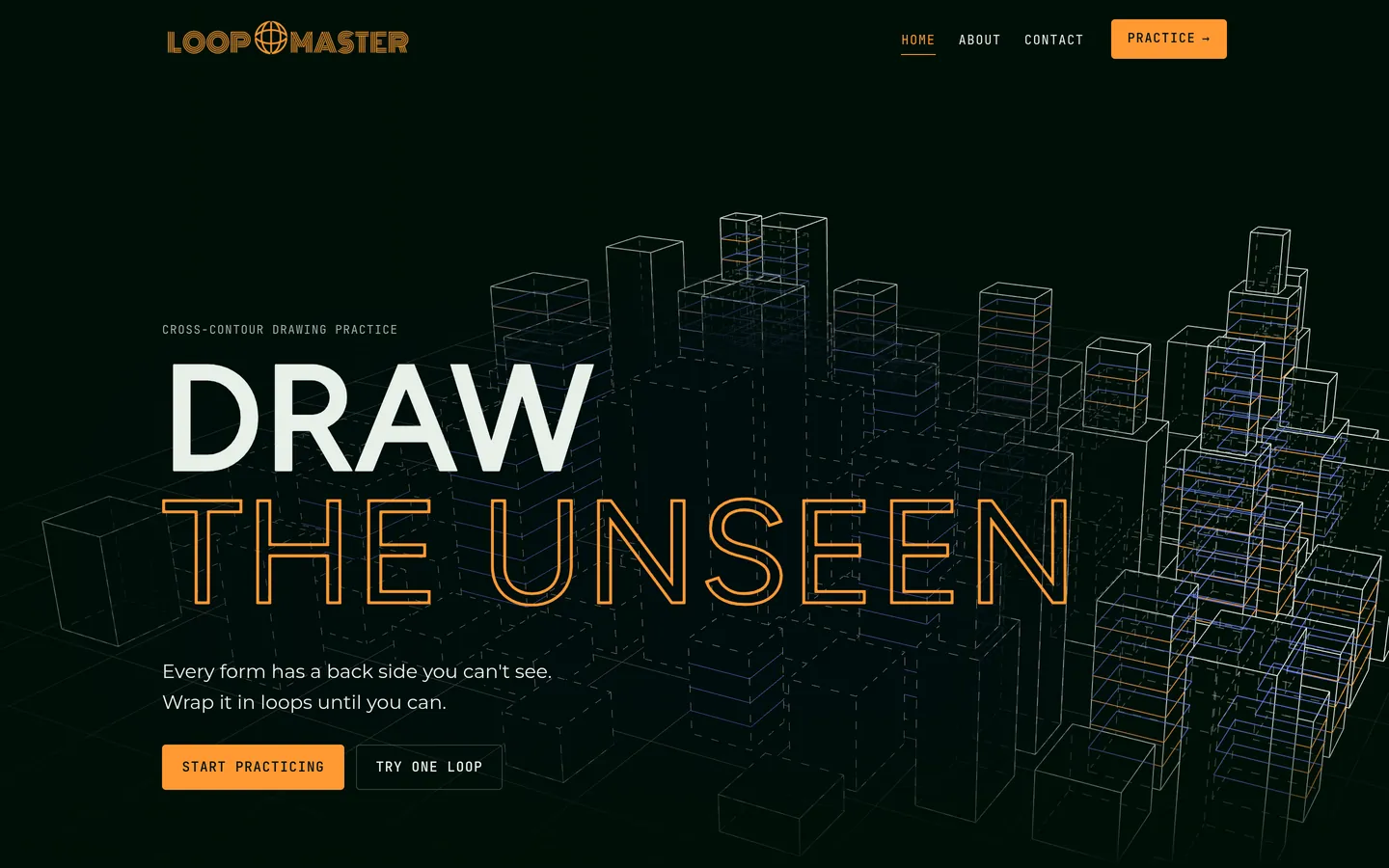
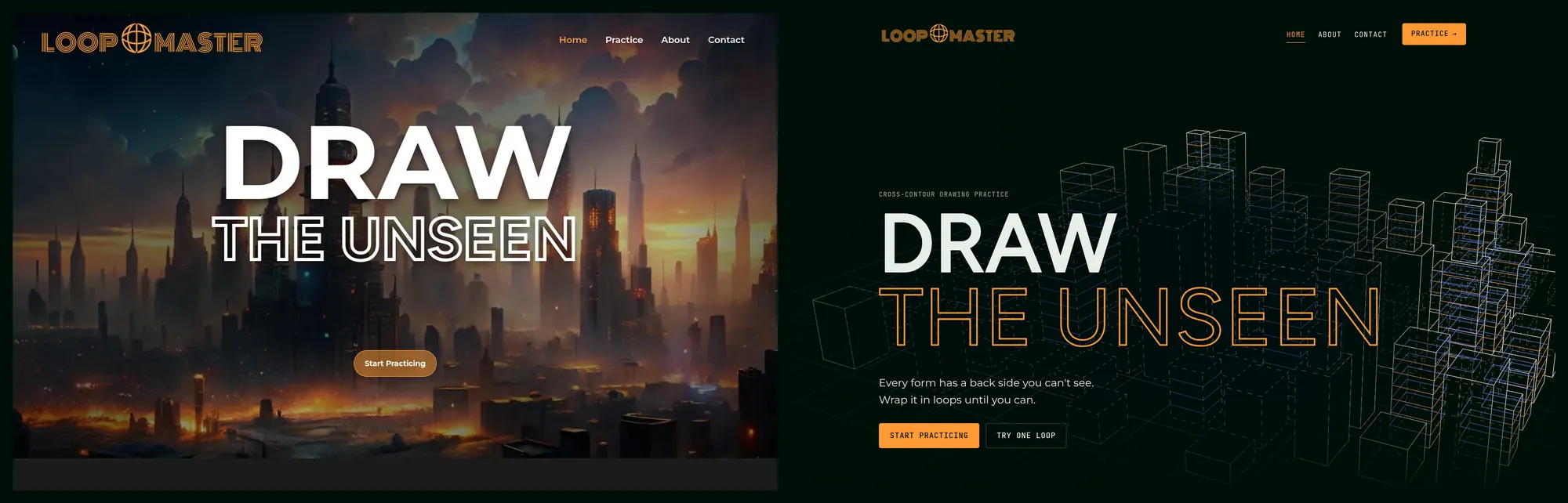
The hero is a live Three.js city: 104 buildings wrapped in 168 loops, orange in front and blue behind, with hidden edges as faint dashes. Putting a headline on it took five rounds. In the last one, the city behind the words switches to its hidden-line style through a soft, breathing mask: behind the words, the city becomes unseen.
2 Try it: “Wrap the form”
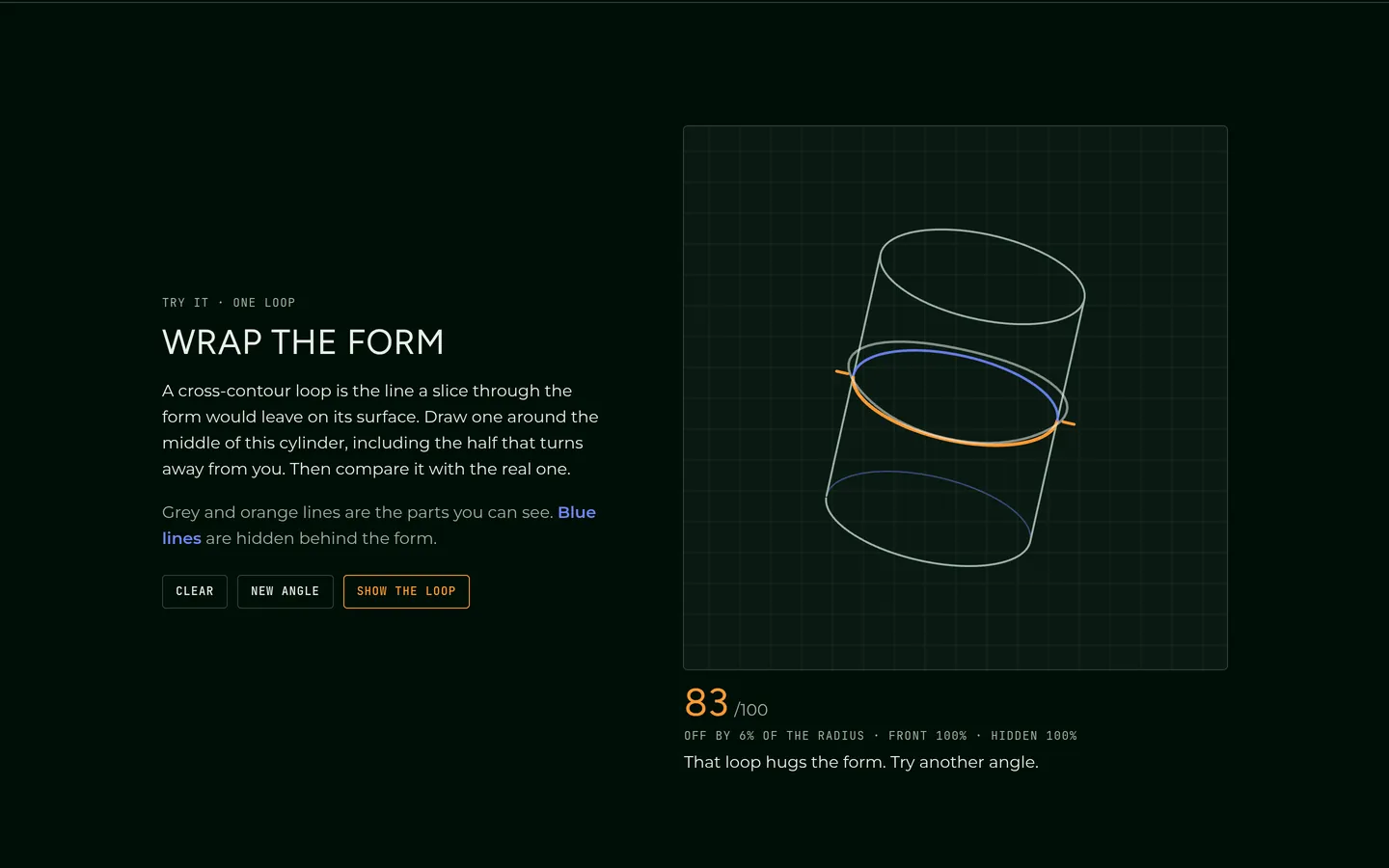
One scroll down, visitors draw a single loop around a tilted cylinder. The true loop is then laid over it, front half orange and hidden half blue, and scored on how close it is and how much of each half it covers. It's the game in ten seconds, before anyone clicks Practice.
3 Guess the loops, then see them all
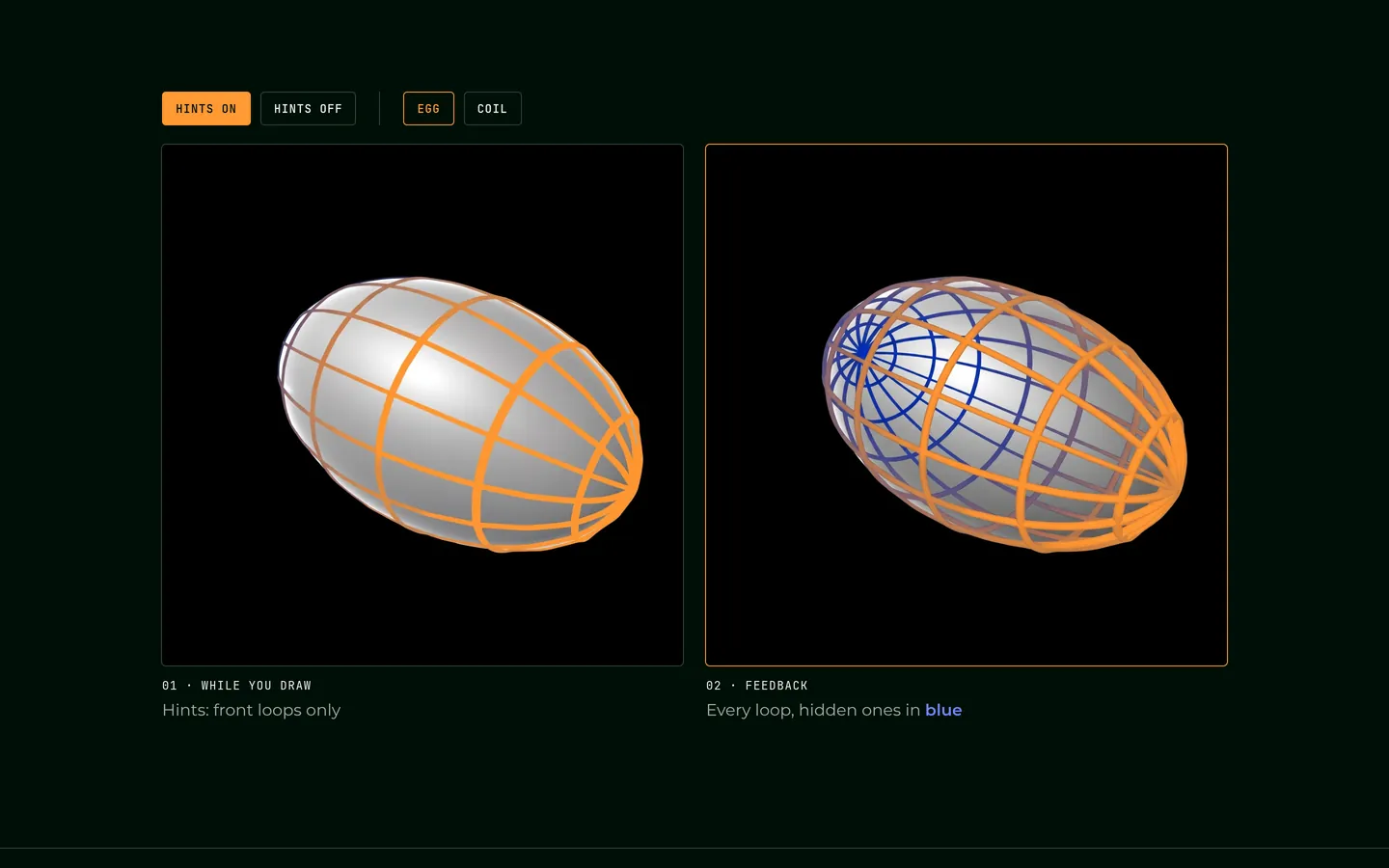
A new How it works section shows a real session: an 18-second silent clip of the app, with the four steps lighting up in order. Below it, Hints on / Hints off switches between what you see while you draw, the front loops only, and the feedback that follows: every loop, hidden ones in blue.
4 The tool comes first
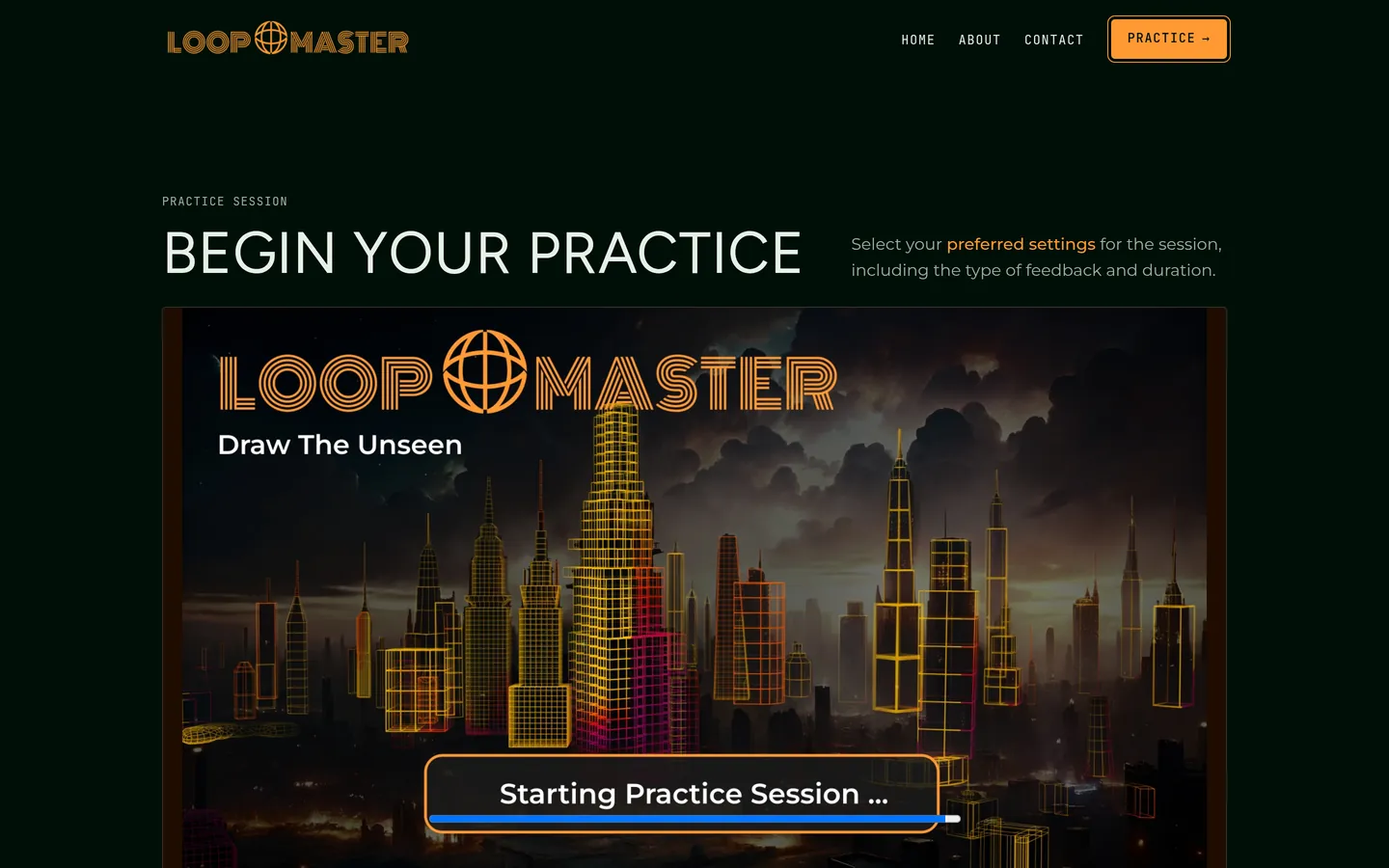
On the old Practice page the game sat below a banner and was embedded twice. Now it opens the page, with a Focus mode that goes truly fullscreen, and the walls of text became a four-step timeline where the same cylinder builds up and the cards heat to orange.
5 One moment on every page
The x-ray lens strips the archer down to a mannequin of simple shapes. About shows short clips from the app, one per habit, and ends on the logo's globe redrawn as vector lines. Contact has a paper airplane flying a loop-the-loop, and the 404 reads “This page is unseen,” next to a cube drawn in dashed lines.
Performance & accessibility
16× lighter
At launch, the new home page was about 16 times lighter on first load, even with a live 3D scene in it.
| Measure | Before · WordPress | After · Astro |
|---|---|---|
| Home page, first load | ~6.8 MB, 29 requests | ~0.4 MB, 12 requests |
| Images on home | 6.7 MB | ~0.2 MB (responsive WebP, lazy below the fold) |
| Site files, excluding the game | 140 files, 18.6 MB | 63 files, 3.7 MB |
Home page transfers measured on the live sites, first visit, nothing cached, before scrolling (new site measured October 23, 2026). Other rows from the production build.
- Every animation has a way out. Reduced motion gets a static frame of every animation, browsers without WebGL get a pre-rendered still of the same city, and the x-ray lens has a button for touch and keyboard.
- Video only when you reach it. The session video and the About clips load and play only while on screen, and hold their first frame with reduced motion.
Outcome
A website that looks like the skill it teaches
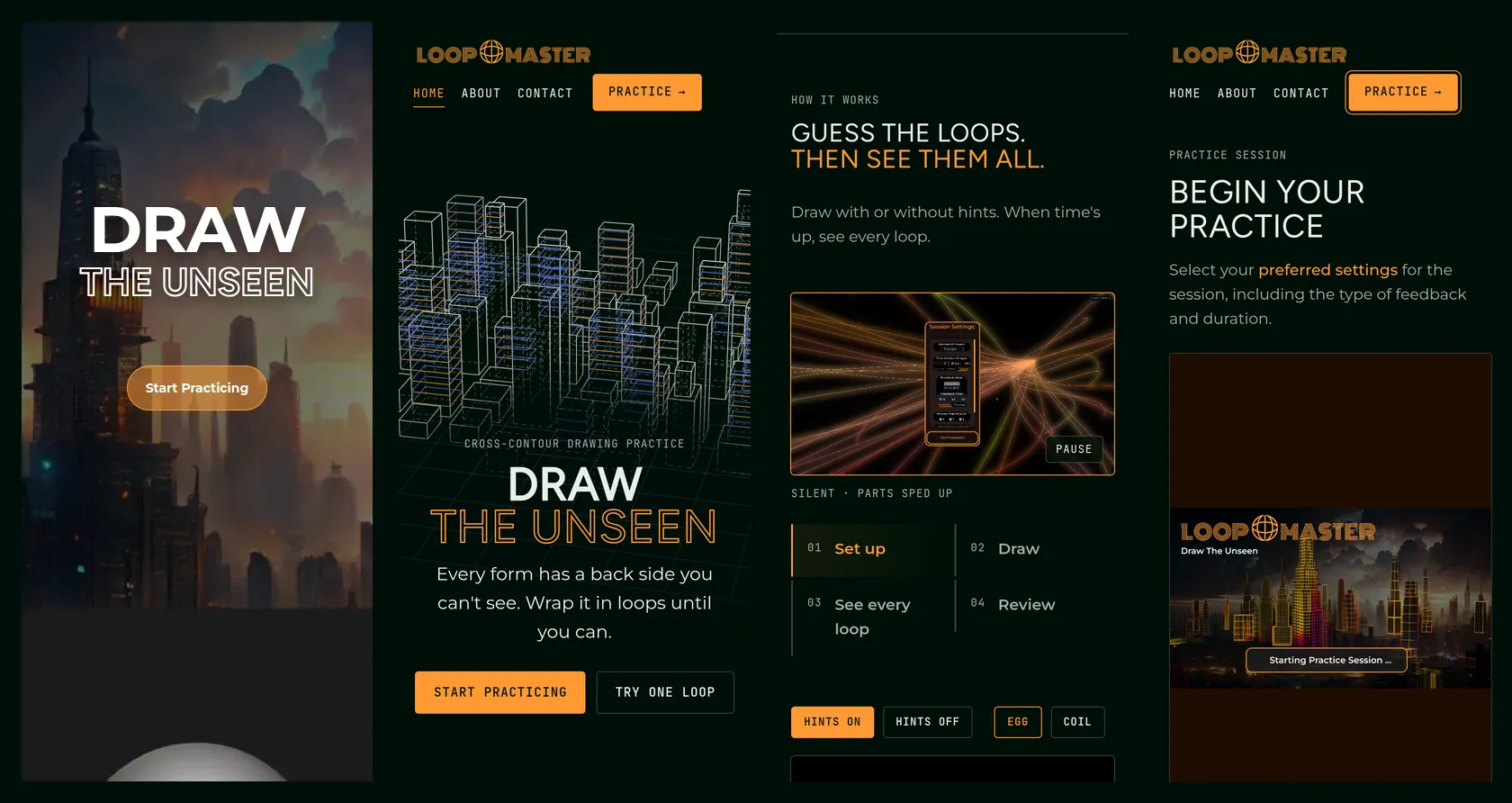
In two days Loop Master went from a template export to a hand-made site with a real design system, a live 3D hero, a ten-second taste of the game, and a home page about 16 times lighter. The orange that was buried in a page builder's palette now carries meaning: it is always a loop, the next action, or where you are.
Your brand could be next.