Case study · Concept
WishVault Pause before you buy
Every bag promised freedom.
Shopping apps are built to make buying faster. WishVault is an app concept that does the opposite: you snap what you want instead of buying it, answer four honest questions, and wait 72 hours. Most impulses don't survive the wait. We designed and built its launch page, a bilingual, cinematic one-pager whose only job is to make you feel the cost of an impulse, then put your name on the waitlist.
- Project
- WishVault, a mindful-shopping app (studio concept, pre-launch)
- Scope
- Positioning, copy (EN/ES), art direction, film edit and slow-motion, interaction design, front-end build, waitlist backend
- Stack
- Astro 7, plain CSS, GSAP (hero entrance), three.js (one section only), Cloudflare Pages + Pages Functions + D1
- Timeline
- October 31 – November 3, 2026 (the app idea dates back to an Expo prototype in August 2026)
- Pages
- One page: film hero, the receipt walk, how it works (4 steps), the rules, waitlist with the Vault Pass
- Languages
- English and Spanish, switched in place, chosen from the browser's language
- Result
- A 1.5 MB AV1 hero film; three.js (478 KB) loads only when you reach the one section that needs it
The idea
Luxury as the trap, clarity as the luxury
Every shopping interface is tuned for speed: one-tap checkout, "only 2 left", buy now, pay later. The cost stays hidden until the statement arrives. WishVault puts the friction back and shows every price in hours of your work. The app doesn't exist yet, so the page had to make people want it, and collect their emails, without one screenshot of a finished product.
So WishVault looks like the thing it warns you about: black marble, gold, ivory silk, a boutique after hours. Gold marks only what you can act on and the one number that matters, the money you kept. And one line runs through the whole page: shopping doesn't buy happiness or freedom. Time does.
Key moments
An app you try before it exists
1 One shot, in slow motion
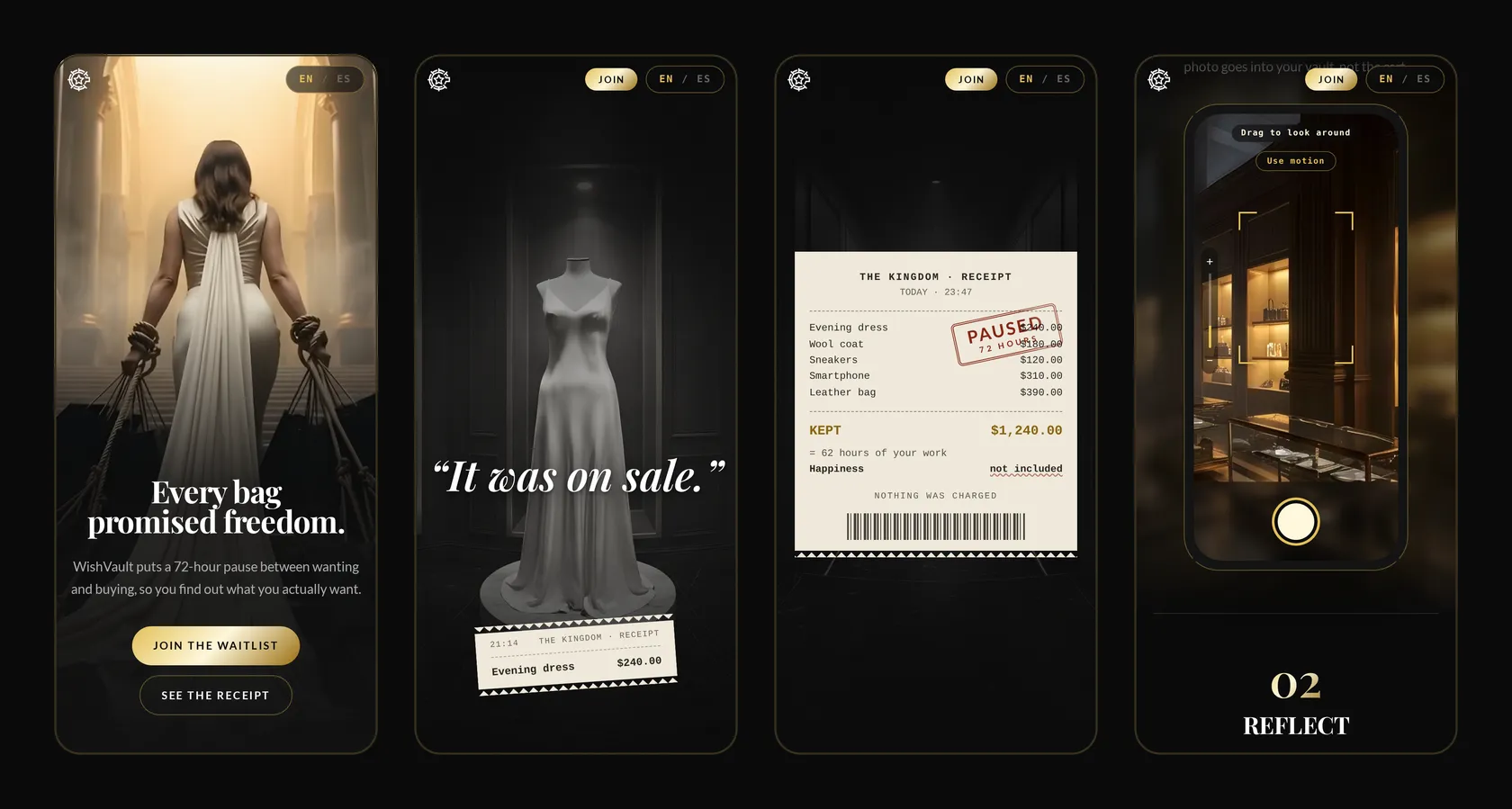
We tried four heroes side by side on a lab page, from a flipbook queen to a 3D boutique in a storm of bags. The staircase won because it was the only one that needed no explaining. We slowed the 4-second clip with motion-compensated frame interpolation and loop it with a hard cut, never a crossfade: a crossfade briefly showed two women at once. Phones get their own 9:16 crop.
2 The receipt, walked
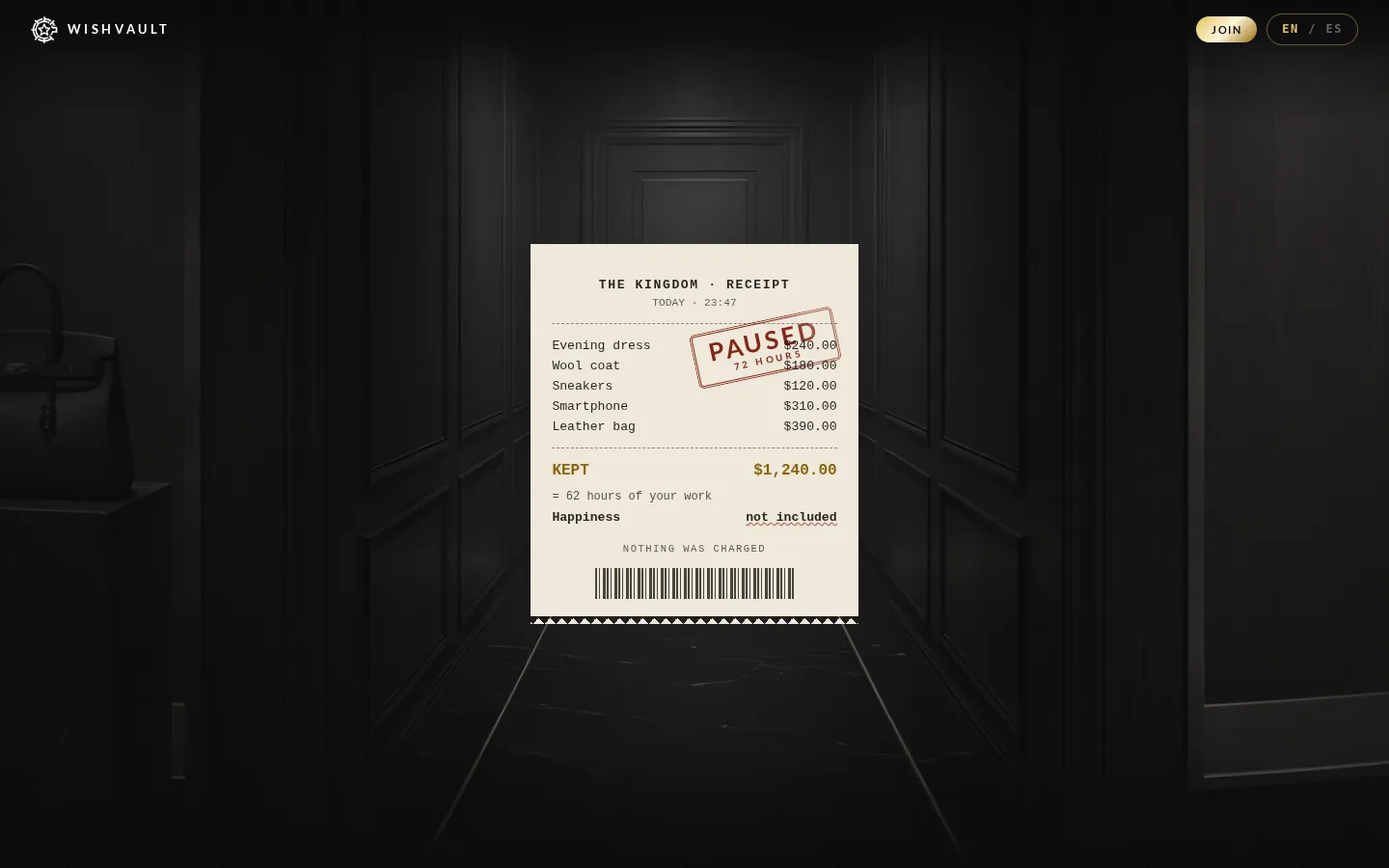
"What did it really cost?" Then the page pins, and your scroll turns a camera around a dark boutique. At five stops the store drains of colour, an excuse appears ("It was on sale." "I deserve it.") and a receipt stub lands on a pile. The stubs become one receipt: $1,240, = 62 hours of your work, Happiness … not included, stamped PAUSED · 72 HOURS. The camera isn't WebGL but one flat panorama moved with CSS, so it runs as smoothly on old phones as on a laptop.
3 Snap it: a camera in a 360° store
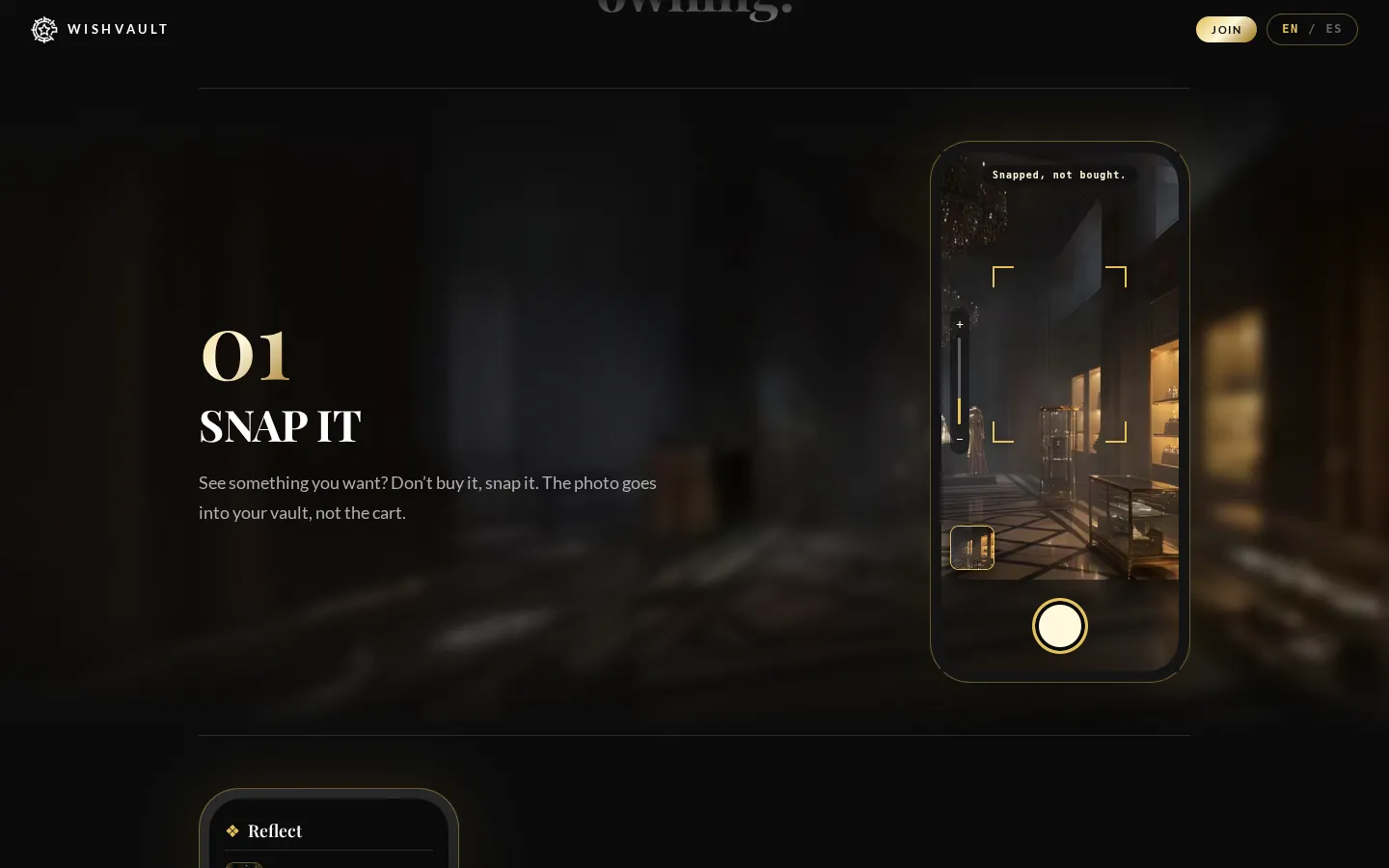
Step one of "How it works" is the only part of the page that uses three.js, and you can play it. Drag to look around the store (on a phone, move the phone itself), press the shutter, and a real photo of what you're looking at drops into a strip: "Snapped, not bought." The 3D code loads only when you scroll close.
4 Reflect, cool off, keep
The other three steps are working phone mockups, not pictures of them. Answer the four questions about a wool coat, watch a ring count down the 72 hours, and press Let it go: the coat turns to "no" in your vault, and $180 is added to what you kept.
5 The Vault Pass
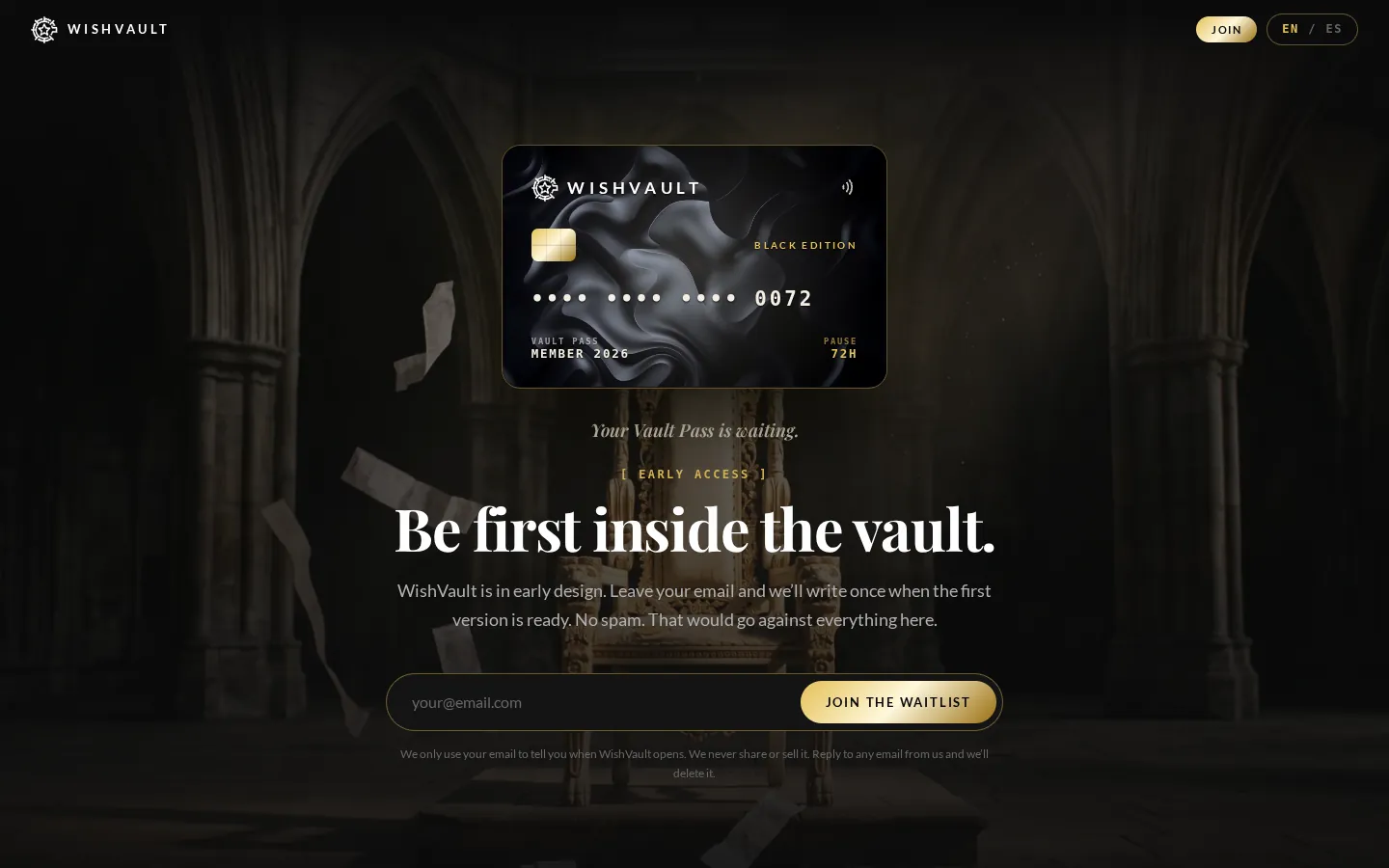
The waitlist ends on a black card that tilts toward your pointer, with a gold sheen that follows the light. Its number is •••• 0072, for 72 hours. The form saves your email in our own Cloudflare database: no third-party form service, no tracking script.
Performance
A film hero in 1.5 MB
| Asset | Size |
|---|---|
| Hero film, desktop (1920×1080, AV1) | 1.47 MB |
| Hero film, phones (720×1280, AV1) | 0.88 MB |
| 360° panorama, first / sharp (AVIF) | 17 KB / 205 KB |
| three.js + the 360° camera | 478 KB, loaded only near step 1 |
- AV1 first, H.264 as the fallback. Browsers pick the format they can play; nothing is sent twice.
- A lighter path for older Safari. iPhones and iPads before iOS 16 get WebP instead of AVIF, a lighter store strip and simpler textures, so an iPad Air 2 sees the same story.
- Reduced motion respected. With "reduce motion" on, the film holds still, the store walk skips its flashes and shakes, and the card stops tilting.
Outcome
A pause you can feel
The page sells an app that isn't built yet, so everything that would normally be a screenshot is something you can do instead: walk the store, watch the receipt add up, snap a coat instead of buying it, let it go and watch your kept money grow. By the time you reach the waitlist, you've already used WishVault once.
Have a product that needs to be felt, not explained?